<?xml version="1.0" encoding="UTF-8"?>
<!-- generator="wordpress/2.0.5" -->
<rss version="2.0" 
	xmlns:content="http://purl.org/rss/1.0/modules/content/"
	xmlns:wfw="http://wellformedweb.org/CommentAPI/"
	xmlns:dc="http://purl.org/dc/elements/1.1/"
	>

<channel>
	<title>Weblog Ben's HobbyCorner</title>
	<link>http://benshobbycorner.nl</link>
	<description>Electronics, microcontrollers, Bascom and more....</description>
	<pubDate>Fri, 11 May 2012 19:07:53 +0000</pubDate>
	<generator>http://wordpress.org/?v=2.0.5</generator>
	<language>en</language>
			<item>
		<title>POP3 checker - W5200</title>
		<link>http://benshobbycorner.nl/?p=284</link>
		<comments>http://benshobbycorner.nl/?p=284#comments</comments>
		<pubDate>Sun, 06 May 2012 17:16:55 +0000</pubDate>
		<dc:creator>bzijlstra</dc:creator>
		
		<category>Embedded Ethernet</category>

		<category>Bascom-AVR</category>

		<category>Arduino</category>

		<guid isPermaLink="false">http://benshobbycorner.nl/?p=284</guid>
		<description><![CDATA[With the new Bascom-AVR library for the W5200, I rewrote my POP3 email checker. Works great. Easy to get a TCP or UDP program running with these new libraries.


Hardware is an Arduino Mega, a W5200 ethernetshield and my own LCD-board.

]]></description>
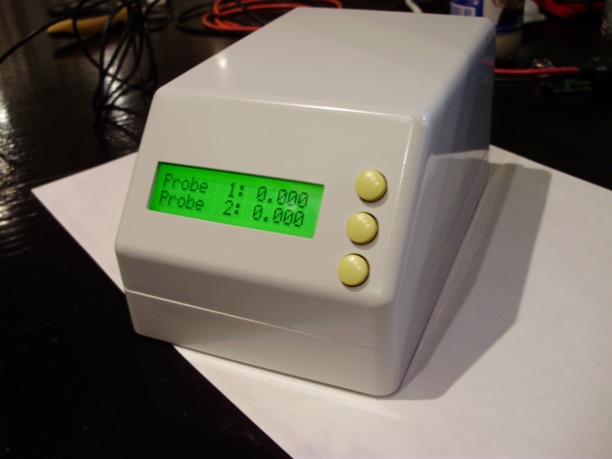
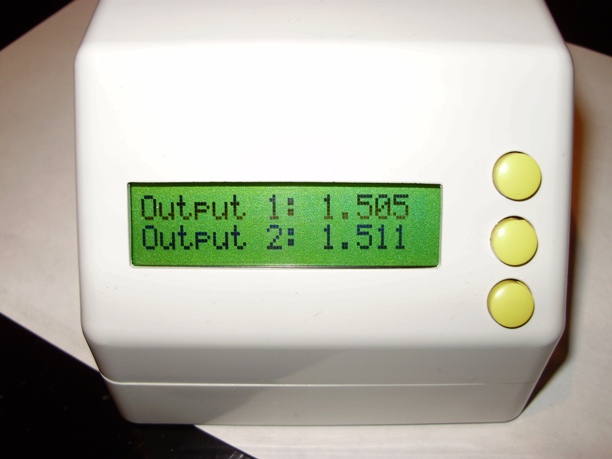
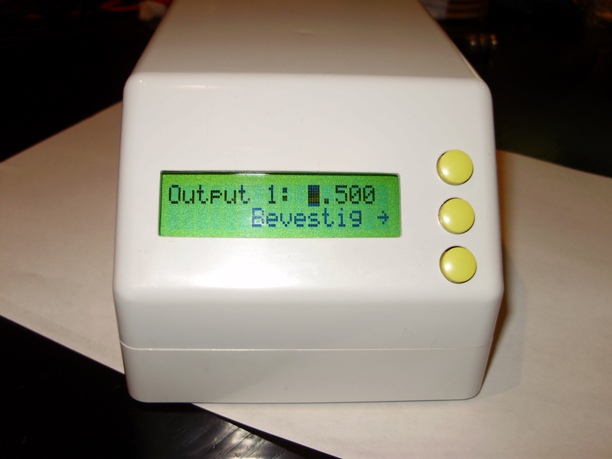
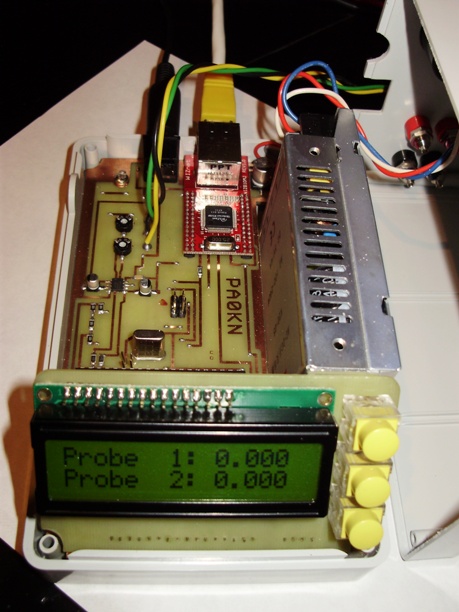
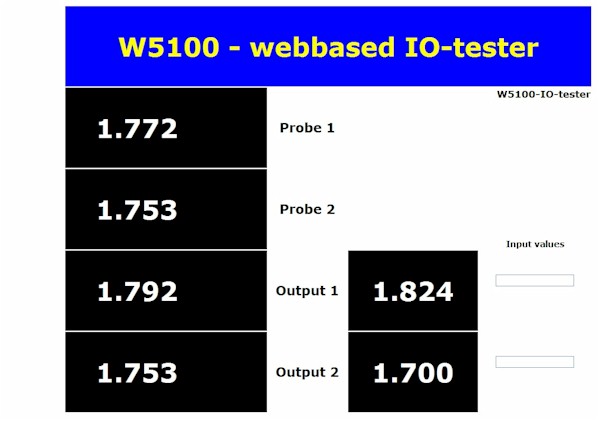
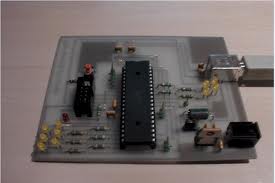
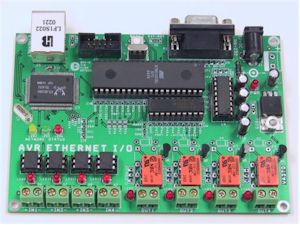
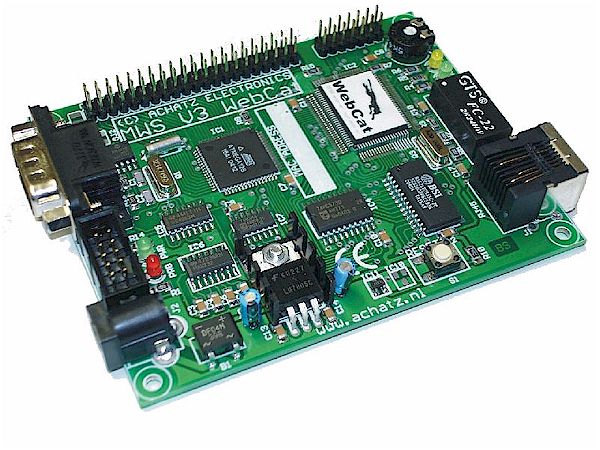
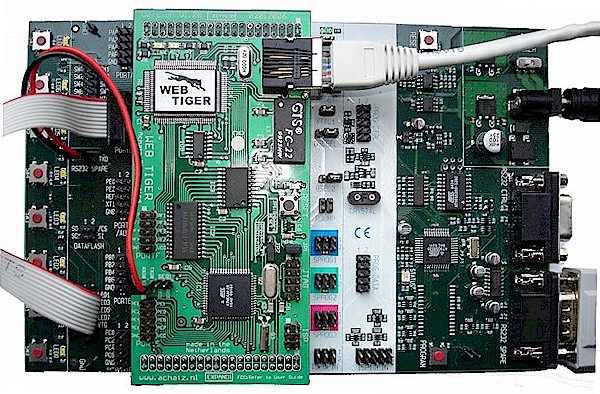
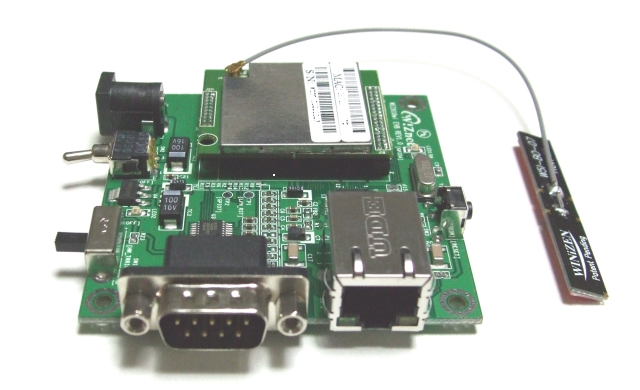
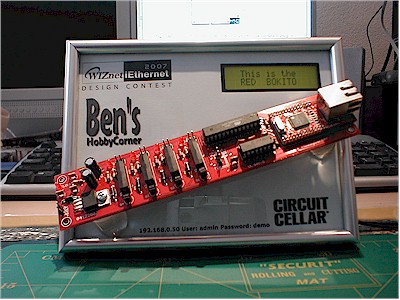
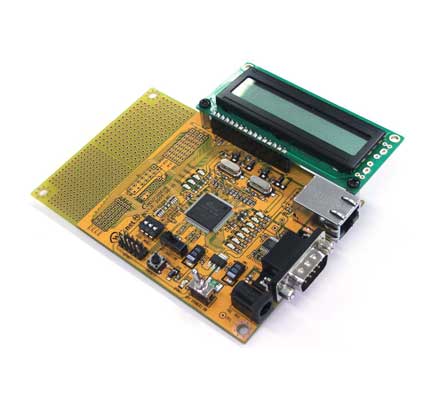
			<content:encoded><![CDATA[<p>With the new Bascom-AVR library for the W5200, I rewrote my POP3 email checker. Works great. Easy to get a TCP or UDP program running with these new libraries.</p>
<p><img src="http://members.home.nl/hobbycorner/images/m1.jpg" /></p>
<p><img src="http://members.home.nl/hobbycorner/images/m2.jpg" /></p>
<p><img src="http://members.home.nl/hobbycorner/images/m3.jpg" /> </p>
<p><img src="http://members.home.nl/hobbycorner/images/m4.jpg" /></p>
<p>Hardware is an Arduino Mega, a W5200 ethernetshield and my own LCD-board.
</p>
]]></content:encoded>
			<wfw:commentRss>http://benshobbycorner.nl/?feed=rss2&amp;p=284</wfw:commentRss>
		</item>
		<item>
		<title>W5200 Bascom-AVR SNTP</title>
		<link>http://benshobbycorner.nl/?p=283</link>
		<comments>http://benshobbycorner.nl/?p=283#comments</comments>
		<pubDate>Sat, 05 May 2012 21:34:46 +0000</pubDate>
		<dc:creator>bzijlstra</dc:creator>
		
		<category>Embedded Ethernet</category>

		<category>Bascom-AVR</category>

		<guid isPermaLink="false">http://benshobbycorner.nl/?p=283</guid>
		<description><![CDATA[Arduino Mega, W5200 shield and my own LCD board. Another example that the Wiznet routines of the new Bascom-AVR are working. A SNTP-network clock. And further some nice display routines to get large characters.


]]></description>
			<content:encoded><![CDATA[<p>Arduino Mega, W5200 shield and my own LCD board. Another example that the Wiznet routines of the new Bascom-AVR are working. A SNTP-network clock. And further some nice display routines to get large characters.</p>
<p><img src="http://members.home.nl/hobbycorner/images/SNTP_Clock.JPG" />
</p>
]]></content:encoded>
			<wfw:commentRss>http://benshobbycorner.nl/?feed=rss2&amp;p=283</wfw:commentRss>
		</item>
		<item>
		<title>Arduino Nano with ethernet&#8230;</title>
		<link>http://benshobbycorner.nl/?p=282</link>
		<comments>http://benshobbycorner.nl/?p=282#comments</comments>
		<pubDate>Sat, 28 Apr 2012 18:54:51 +0000</pubDate>
		<dc:creator>bzijlstra</dc:creator>
		
		<category>Embedded Ethernet</category>

		<category>Arduino</category>

		<guid isPermaLink="false">http://benshobbycorner.nl/?p=282</guid>
		<description><![CDATA[Today with the post, an Arduino Nano with W5100 ethernetchip and micro-sd-card. Compatible with the big Arduino and W5100 ethernetshield, so the Ethernet examples for the Arduino are working right out of the box.
From www.gravitech.us


]]></description>
			<content:encoded><![CDATA[<p>Today with the post, an Arduino Nano with W5100 ethernetchip and micro-sd-card. Compatible with the big Arduino and W5100 ethernetshield, so the Ethernet examples for the Arduino are working right out of the box.</p>
<p>From <a href="http://www.gravitech.us/">www.gravitech.us</a></p>
<p><img src="http://members.home.nl/hobbycorner/images/gravitech_nano.jpg" /></p>
<p> 
</p>
]]></content:encoded>
			<wfw:commentRss>http://benshobbycorner.nl/?feed=rss2&amp;p=282</wfw:commentRss>
		</item>
		<item>
		<title>UDP Switch iPhone</title>
		<link>http://benshobbycorner.nl/?p=281</link>
		<comments>http://benshobbycorner.nl/?p=281#comments</comments>
		<pubDate>Fri, 13 Apr 2012 14:03:10 +0000</pubDate>
		<dc:creator>bzijlstra</dc:creator>
		
		<category>Bascom-AVR</category>

		<guid isPermaLink="false">http://benshobbycorner.nl/?p=281</guid>
		<description><![CDATA[Piece of cake to create a UDP-switch for the iPhone with the new W5100 library for Bascom-AVR.


The hardware, Arduino Mega and W5100 Ethernetboard

A freeware UDP-remote APP&#8230;

]]></description>
			<content:encoded><![CDATA[<p>Piece of cake to create a UDP-switch for the iPhone with the new W5100 library for Bascom-AVR.</p>
<p><img title="UDP_switch iPhone" alt="UDP_switch iPhone" src="http://members.home.nl/hobbycorner/images/w5100/UDP_Switch_W5100lib.jpg" /></p>
<p><img src="http://members.home.nl/hobbycorner/images/w5100/udp_switch_ard.JPG" /></p>
<p>The hardware, Arduino Mega and W5100 Ethernetboard</p>
<p><img src="http://members.home.nl/hobbycorner/images/w5100/UDP_Remote_Main.png" /></p>
<p>A freeware UDP-remote APP&#8230;
</p>
]]></content:encoded>
			<wfw:commentRss>http://benshobbycorner.nl/?feed=rss2&amp;p=281</wfw:commentRss>
		</item>
		<item>
		<title>Beta-test W5100 Bascom-AVR library</title>
		<link>http://benshobbycorner.nl/?p=280</link>
		<comments>http://benshobbycorner.nl/?p=280#comments</comments>
		<pubDate>Sun, 08 Apr 2012 10:45:18 +0000</pubDate>
		<dc:creator>bzijlstra</dc:creator>
		
		<category>Uncategorized</category>

		<guid isPermaLink="false">http://benshobbycorner.nl/?p=280</guid>
		<description><![CDATA[Beta-testing Bascom-AVR W5100 library


The W5100 is the successor of the W3100A. It is an improved chip without shadow registers. This means that less code is required to use the chip. Because the W5100 has different constants than the W3100A, the constants are removed from the Bascom-AVR samples. The constants are automatically created with a value [...]]]></description>
			<content:encoded><![CDATA[<p><span lang="N">Beta-testing Bascom-AVR W5100 library</span></p>
<p><span lang="N" /></p>
<p><span lang="N"><img title="Beta-testing W5100 lib" alt="Beta-testing W5100 lib" src="http://members.home.nl/hobbycorner/images/beta.jpg" /></span></p>
<p><span lang="N">The W5100 is the successor of the W3100A. It is an improved chip without shadow registers. This means that less code is required to use the chip.</span><span lang="N"> </span><span lang="N">Because the W5100 has different constants than the W3100A, the constants are removed from the Bascom-AVR samples. The constants are automatically created with a value depending on the chip you use.</span><span lang="N">The W5100 library is almost the same as the W3100 library. But there are some differences.</span><span lang="N">- The peersize, peerport and peeraddress have a different order then the W5100. To avoid mistakes, the compiler will create these variables automatic in the proper order.</p>
<p>- When reading UDP, you need to use the UDPREADHEADER statement to read the UDP header. After reading the header, the peersize, peerport and peeraddress variables are set. You then should use the peersize variable to determine the number of bytes to retrieve.</p>
<p>- The W5100 has a command to disconnect the socket in TCP/IP mode. It is named SOCKETDISCONNECT.</p>
<p>- The closesocket statement has been renamed into SOCKETCLOSE. You can use both names.</p>
<p /></span>
</p>
]]></content:encoded>
			<wfw:commentRss>http://benshobbycorner.nl/?feed=rss2&amp;p=280</wfw:commentRss>
		</item>
		<item>
		<title>VHF Omnidirectional Range tester</title>
		<link>http://benshobbycorner.nl/?p=279</link>
		<comments>http://benshobbycorner.nl/?p=279#comments</comments>
		<pubDate>Sun, 01 Apr 2012 15:17:39 +0000</pubDate>
		<dc:creator>bzijlstra</dc:creator>
		
		<category>Bascom-AVR</category>

		<guid isPermaLink="false">http://benshobbycorner.nl/?p=279</guid>
		<description><![CDATA[VOR, short for VHF Omnidirectional Radio Range, is a type of short-range radio-navigation system for aircrafts, enabling aircrafts to determine their position and stay on course by receiving radio signals transmitted by a network of fixed ground radio beacons, with a receiver unit. it uses radio frequencies in the very high frequency (VHF) band from [...]]]></description>
			<content:encoded><![CDATA[<p><span lang="N">VOR, short for VHF Omnidirectional Radio Range, is a type of short-range radio-navigation system for aircrafts, enabling aircrafts to determine their position and stay on course by receiving radio signals transmitted by a network of fixed ground radio beacons, with a receiver unit. it uses radio frequencies in the very high frequency (VHF) band from 108 tot 117.95 Mhz. There are about 3000 VOR stations around the world. When the signal is received in the aircraft, the two 30 Hz signals are detected and then compared to determine the phase angle between them. The phase angle by which the AM signal lags the FM subcarrier signal is equal to the direction from the station to the aircraft, in degrees from local magnetic north, and is called the &#8220;radial.&#8221; In the pictures: 180 and 90 degrees phase-shifting with two low budget Atmega88&#8217;s. The 9960 Khz subcarrier 30 Hertz FM-moduled. The prototype and the reading on a handheld VHF Air band transceiver. </span><span lang="N"><span lang="N">For details: <a href="http://members.home.nl/bzijlstra"><u><font size="2" color="#0000ff"><font size="2" color="#0000ff"><span lang="N">http://members.home.nl/bzijlstra</span></font></font></u></a><br />
<font size="2"><span lang="N"> </span></font></span></span></p>
<p><span lang="N"><font size="2"><span lang="N">Pictures:<br />
Prototype with large characters on 16&#215;2 LCD. Left the encoder to select the bearing. 9960 Khz subcarrier, 30 hertz FM modulated.<br />
</span></font></span><span lang="N"><font size="2"><span lang="N"><span lang="N"><font size="2"><span lang="N"><img align="middle" title="227 bearing testfreq." alt="227 bearing testfreq." src="http://members.home.nl/hobbycorner/images/VOR/400_227_1.jpg" /></span></font></span></span></font></span></p>
<p><span lang="N"><font size="2"><span lang="N"> </span></font></span><span lang="N"><font size="2"><span lang="N"><span lang="N"><font size="2"><span lang="N"><span lang="N"><font size="2"><span lang="N"><span lang="N"><font size="2"><span lang="N"><img align="middle" title="On the handset" alt="On the handset" src="http://members.home.nl/hobbycorner/images/VOR/400_227_2.jpg" /></span></font></span></span></font></span></span></font></span></span></font></span></p>
<p><span lang="N"><font size="2"><span lang="N"><span lang="N"><font size="2"><span lang="N"><span lang="N"><font size="2"><span lang="N"><img align="middle" title="Bearing 227 in detail" alt="Bearing 227 in detail" src="http://members.home.nl/hobbycorner/images/VOR/400_det_227_2.jpg" /></span></font></span></span></font></span></span></font></span></p>
<p><font size="2"><font size="2"><span lang="N"><font size="2"><span lang="N" /></font></span></font></font><span lang="N"><font size="2"><span lang="N"><span lang="N"><font size="2"><span lang="N" /></font></span></span></font></span><span lang="N"><font size="2"><span lang="N"><img align="middle" title="9960 Khz subcarrier 30 Hertz fm-modulated" alt="9960 Khz subcarrier 30 Hertz fm-modulated" src="http://members.home.nl/hobbycorner/images/VOR/9960_30.jpg" /></span></font></span></p>
<p><span lang="N"><img align="middle" title="Master / Slave with low-pass filter and VCO" alt="Master / Slave with low-pass filter and VCO" src="http://members.home.nl/hobbycorner/images/VOR/master_slave.jpg" /></span><br />
<span lang="N">Master / Slave ( 2 x Atmega88 ), two low-pass filters, 4046 VCO. Ready to be connected to the transmitter 108 - 117.95 Mhz. All written in Bascom-AVR. </span><span lang="N"><span lang="N"> </span><span lang="N"><span lang="N"> </span></span></span>
</p>
]]></content:encoded>
			<wfw:commentRss>http://benshobbycorner.nl/?feed=rss2&amp;p=279</wfw:commentRss>
		</item>
		<item>
		<title>PWM to Volt - 4 channel</title>
		<link>http://benshobbycorner.nl/?p=278</link>
		<comments>http://benshobbycorner.nl/?p=278#comments</comments>
		<pubDate>Wed, 28 Dec 2011 00:22:17 +0000</pubDate>
		<dc:creator>bzijlstra</dc:creator>
		
		<category>Arduino</category>

		<guid isPermaLink="false">http://benshobbycorner.nl/?p=278</guid>
		<description><![CDATA[   New design. PWM to Volt. 0 - 10 volt. With a step-up to 12 volt. With feedback to the ADC channels. 

]]></description>
			<content:encoded><![CDATA[<p>   New design. PWM to Volt. 0 - 10 volt. With a step-up to 12 volt. With feedback to the ADC channels. <!--Mime Type of File is image/jpeg -->
<div class=""><a href="http://benshobbycorner.nl/wp-photos/20111228-002217-1.jpg" onclick="window.open('http://benshobbycorner.nl/wp-photos/20111228-002217-1.jpg','full_size_image','toolbar=0,scrollbars=0,location=0,status=0,menubar=0,resizable=1,height=788,width=1044');return false;"><img src="http://benshobbycorner.nl/wp-photos/thumb.20111228-002217-1.jpg" alt="pwm2volt_print.jpg" title="pwm2volt_print.jpg" style="border: none;" class="postie-image" /></a></div>
]]></content:encoded>
			<wfw:commentRss>http://benshobbycorner.nl/?feed=rss2&amp;p=278</wfw:commentRss>
		</item>
		<item>
		<title>WIZFI210 Arduino Mega shield</title>
		<link>http://benshobbycorner.nl/?p=277</link>
		<comments>http://benshobbycorner.nl/?p=277#comments</comments>
		<pubDate>Sun, 20 Nov 2011 22:07:56 +0000</pubDate>
		<dc:creator>bzijlstra</dc:creator>
		
		<category>Bascom-AVR</category>

		<guid isPermaLink="false">http://benshobbycorner.nl/?p=277</guid>
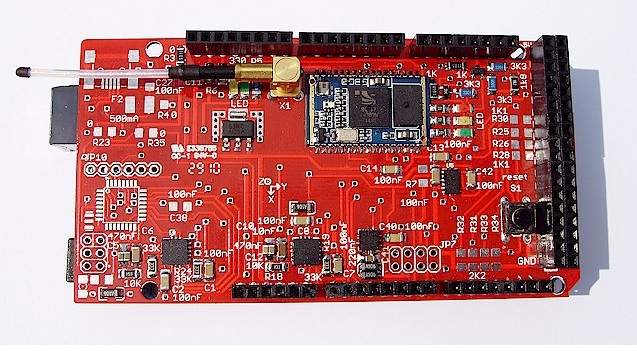
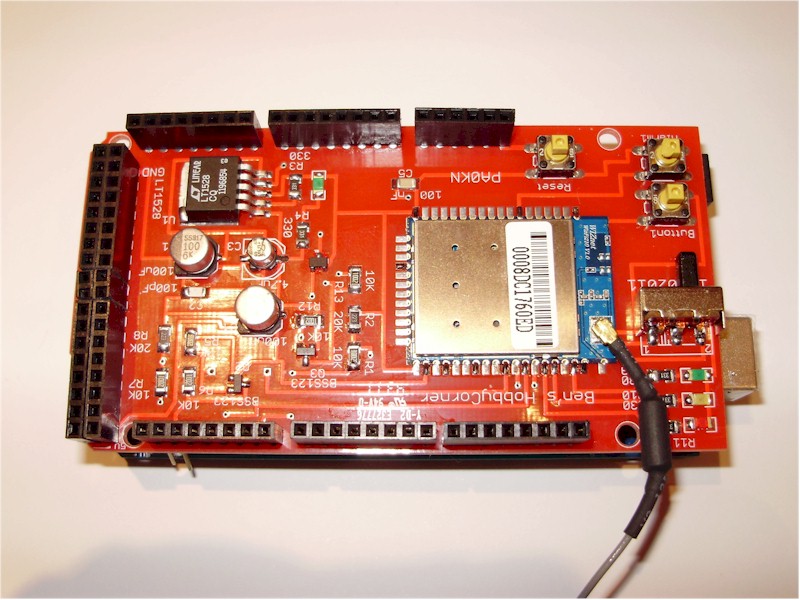
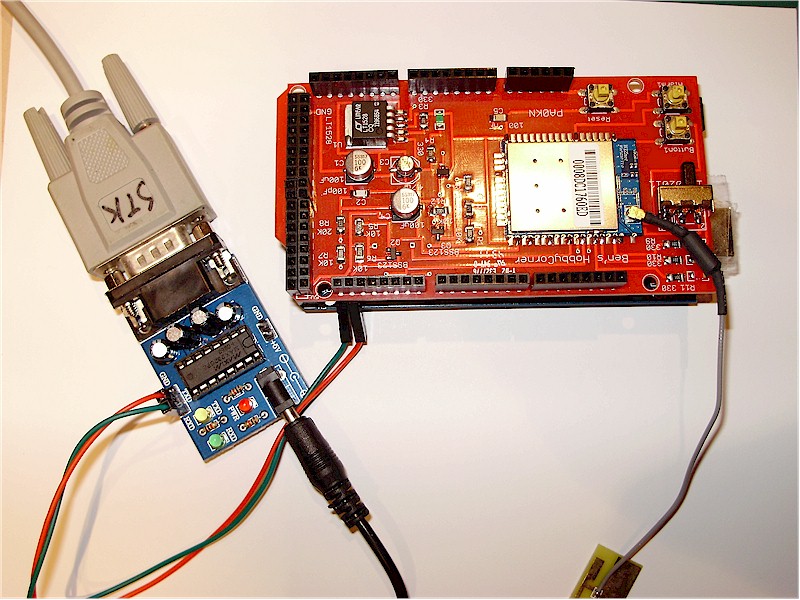
		<description><![CDATA[   A working Arduino Mega WIZFI210 shield. Two buttons on the GPIO, three LEDs, powerregulator with a shutdown, connected to two softserial ports on the Arduino (INT0/INT1). Programmed in Bascom-AVR.  

]]></description>
			<content:encoded><![CDATA[<p>   A working Arduino Mega WIZFI210 shield. Two buttons on the GPIO, three LEDs, powerregulator with a shutdown, connected to two softserial ports on the Arduino (INT0/INT1). Programmed in Bascom-AVR.  <!--Mime Type of File is image/jpeg -->
<div class=""><a href="http://benshobbycorner.nl/wp-photos/20111120-220756-1.jpg" onclick="window.open('http://benshobbycorner.nl/wp-photos/20111120-220756-1.jpg','full_size_image','toolbar=0,scrollbars=0,location=0,status=0,menubar=0,resizable=1,height=615,width=817');return false;"><img src="http://benshobbycorner.nl/wp-photos/thumb.20111120-220756-1.jpg" alt="wizfi210_arduino.jpg" title="wizfi210_arduino.jpg" style="border: none;" class="postie-image" /></a></div>
]]></content:encoded>
			<wfw:commentRss>http://benshobbycorner.nl/?feed=rss2&amp;p=277</wfw:commentRss>
		</item>
		<item>
		<title>ARM DSO Nano</title>
		<link>http://benshobbycorner.nl/?p=271</link>
		<comments>http://benshobbycorner.nl/?p=271#comments</comments>
		<pubDate>Fri, 19 Aug 2011 18:37:51 +0000</pubDate>
		<dc:creator>bzijlstra</dc:creator>
		
		<category>Uncategorized</category>

		<guid isPermaLink="false">http://benshobbycorner.nl/?p=271</guid>
		<description><![CDATA[This is great. An Arm DSO Nano. Received it, played with it for a few days and upgraded it to the BenF 3.62 software. Saved an image of a Arduino Nano PWM signal to the on-board micro-SD card. 


]]></description>
			<content:encoded><![CDATA[<p>This is great. An Arm DSO Nano. Received it, played with it for a few days and upgraded it to the BenF 3.62 software. Saved an image of a Arduino Nano PWM signal to the on-board micro-SD card. <!--Mime Type of File is image/jpeg --></p>
<div><img class="postie-image" style="border: medium none" alt="15df37.JPG" src="http://benshobbycorner.nl/wp-photos/20110819-183751-1.jpg" /></div>
<p><!--Mime Type of File is image/png --></p>
<div><img class="postie-image" style="border: medium none" alt="15df46.PNG" src="http://benshobbycorner.nl/wp-photos/20110819-183751-2.jpg" /></div>
<p><!--Mime Type of File is image/jpeg --></p>
<div><img class="postie-image" style="border: medium none" alt="ARM_DSO_Nano_2.jpg" src="http://benshobbycorner.nl/wp-photos/20110819-183751-3.jpg" /></div>
<p><!--Mime Type of File is image/jpeg --></p>
<div><img class="postie-image" style="border: medium none" alt="IMAGE002.jpg" src="http://benshobbycorner.nl/wp-photos/20110819-183751-4.jpg" /></div>
]]></content:encoded>
			<wfw:commentRss>http://benshobbycorner.nl/?feed=rss2&amp;p=271</wfw:commentRss>
		</item>
		<item>
		<title>WIZSmartScript</title>
		<link>http://benshobbycorner.nl/?p=269</link>
		<comments>http://benshobbycorner.nl/?p=269#comments</comments>
		<pubDate>Wed, 17 Aug 2011 07:23:28 +0000</pubDate>
		<dc:creator>bzijlstra</dc:creator>
		
		<category>Uncategorized</category>

		<guid isPermaLink="false">http://benshobbycorner.nl/?p=269</guid>
		<description><![CDATA[First steps connecting the wireless module WIZFI210 from Wiznet to my network. Same trick as with the WIZ610wi, creating scripts in TeraTerm. Works very well. Some small questions still so I am going to contact Wiznet support.. My Sitecom Access Point expects a WEP key of 13 ASCII characters, but I can only send 10 [...]]]></description>
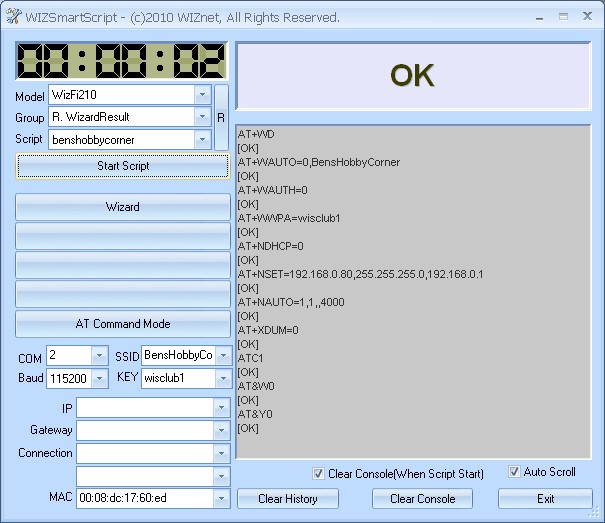
			<content:encoded><![CDATA[<p>First steps connecting the wireless module WIZFI210 from Wiznet to my network. Same trick as with the WIZ610wi, creating scripts in TeraTerm. Works very well. Some small questions still so I am going to contact Wiznet support.. My Sitecom Access Point expects a WEP key of 13 ASCII characters, but I can only send 10 ASCII characters, must go over the datasheet again.<br />
Surfing the Internet showed me a WizSmartScript program and got a link from Wiznet to download program, scripts and tools. Will put a link on my homepage, because I am allowed to distribute it. Here a picture of the WizSmartScript program. Very handy. <!--Mime Type of File is image/jpeg -->
<div class=""><a href="http://benshobbycorner.nl/wp-photos/20110817-072328-1.jpg" onclick="window.open('http://benshobbycorner.nl/wp-photos/20110817-072328-1.jpg','full_size_image','toolbar=0,scrollbars=0,location=0,status=0,menubar=0,resizable=1,height=344,width=428');return false;"><img src="http://benshobbycorner.nl/wp-photos/thumb.20110817-072328-1.jpg" alt="wizsmartscript.jpg" title="wizsmartscript.jpg" style="border: none;" class="postie-image" /></a></div>
]]></content:encoded>
			<wfw:commentRss>http://benshobbycorner.nl/?feed=rss2&amp;p=269</wfw:commentRss>
		</item>
	</channel>
</rss>