Archive for the 'Bascom-AVR' Category

Roll on display….

Thursday, August 19th, 2010

With the routines of J.P. Duval made also the Roll working on the display. And very fast. Instead of a black and red line, like on the compass, one single black line is drawn. And when a new reading has to be displayed, the old one is overwritten by a white line and a new one is drawn. Nothing fancy yet, just a line and the numbers at the bottom.

pitch_400.jpg

Compass working!!

Monday, August 16th, 2010

From the information coming from the Arduino Mega 9DOF Bluetooth made a compass on its Nokia 6100 EPSON and PHILIPS display. Used some fine routines from a clock made by J.P. Duval. Found it as an Application Note in the Bascom-AVR forum. Not a lot had to be changed to have it work as a compass. Made a splash screen, and a background picture with N/O/Z/W on it. It is working perfectly. Still all information from the 9DOF software is sent to the bluetooth module so you can combine this compass with the information in the Phython screen. Our next step is a Pitch and Roll display.

rose_400.jpg

splash_400.jpg

Arduino, Ethernet and Bascom-AVR

Saturday, June 26th, 2010

Got some questions about the Arduino Duemilanove with W5100 Ethernet Shield programmed in Bascom-AVR. So here the complete code and a picture.

If you choose at the programmer options in Bascom-AVR an external programmer

c:\avrdude.exe

and parameters

-v -F -Cc:\avrdude.conf -p m328p -P com4 -c STK500v1 -b 57600 -Uflash:w:{FILE}:a

then you can compile and program from within Bascom-AVR. Very handy.

The code can be found here:

http://members.home.nl/bzijlstra/software/examples/Arduino_5100.txt

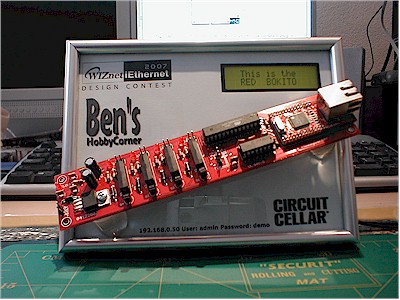
The next step will be Arduino-code on the Red Bokito ;)

P6060242.jpg

SED1520-code

Thursday, March 25th, 2010

Bascom-AVR code, two small pictures, a nice font-file. And you get this….

sed1520.JPG

SED1520.zip

SE-Atmega-M, AVRDude and Bascom…

Monday, March 22nd, 2010

Here the command to use SE-Atmega128-M and AVRDUDE with Bascom-AVR.
The complete command when you use the external program is

[path]avrdude.exe
-v -F -Cc:avrdude.conf -p m128 -P com3 -c STK500v2 -b 115200 -Uflash:w:{FILE}:a

SE_MEGA_DUDE.jpg

Wiring, Arduino-compatible

Sunday, March 21st, 2010

This is the SE-Atmega-M 64 PIN DIP module, with an Atmega128-16MU 64QFN. And while surfing on the net I stumbled upon Wiring, it is an Arduino-compatible environment, works with Windows, Linux and Mac. And without any problem I could upload the LEDblink example in to the board. Got my board and the USB-Serial at www.mcselec.com
Will figure out if the trick I did for the Arduino, with the AVR-Dude/Kanda programmer, will work on this board. In the pictures the Atmega128 board, the USB to Serial and the Wiring environment.

atm149.jpg

atm154.jpg

atm159.jpg

atm161.jpg

atm162.jpg

atm163.jpg

atm177.jpg

atm178.jpg

atm183.jpg

Wiring.jpg

atm157.jpg

Bascom-code on Arduino ;)

Sunday, January 31st, 2010

If you want to use your Arduino Duemilanove with Bascom-AVR and program it from within Bascom, these are the steps you could follow:

Copy avrdude.conf to the root of your PC

Put your USB Serial port on COM3 (Control panel)

Choose within Bascom an external programmer and type at programmer the path to the avrdude.exe include avrdude.exe
And at the parameters type:
-v -F -Cc:\avrdude.conf -p m328p -P com3 -c STK500v1 -b 57600 -Uflash:w:{FILE}:a

Now you can compile your Bascom-AVR program and send it right away from within Bascom.

weblog.bmp

avrdude.bmp

Small tutorial W7100

Tuesday, December 22nd, 2009

Small tutorial about the iMCU7100EVB on my homepage.
Check http://members.home.nl/bzijlstra

IMCU7100EVB.jpg

Remote Xmas-LEDs…

Sunday, December 20th, 2009

Webpage with three buttons working. Can blink the three LED’s on the iMCU7100EVB-board. LED0, LED1, LED2. And my suggestion about the XRAM option is working. Instead of filling a string with the complete HTML-page, I use the XRAM. Filling about 650 bytes with the HTML-code that is send while pushing on a button. In the first 10 characters the “POST /” can be found. And at the end of the packet the LED0=0, LED1=0 or LED2=0 can be found, meaning a button has been pressed.

web_blinky.jpg

Got it!!!

Saturday, December 19th, 2009

Got it!! The access to the extra 64 kByte RAM. Have been working with the standard Bascom-8051 commands for XRAM but that didn’t work. With an simple INP and OUT it is possible to access the extra RAM. I have seen in the datasheet it is possible to build-up the TCP/IP payload in the extra RAM and with a special copy command copy this payload to the transmit buffer of the TCPIP-core TX-buffer. In the samples it is done with the wizmemcopy, ID1 and ID0 are used to indicate if DPTR and DPTR1 should be incremented or decremented automatically. Perhaps have to do this in $ASM…$ENDASM within Bascom-8051.
At the moment a simple HTTP-page running. Have to walk trough a complete packet to check for the POST / command. Will use a buffer in extra RAM for that. The Include-file for the W7100 is now simulair to the one I have made for the W5100. W5100 code can be used for this W7100. And the w7100.dat file is running perfectly.

w7100_xram.jpg